Say your plan once.
See it on your Lock Screen all day.
Speak everything on your mind. VoiceTodo turns it into a clean checklist with the right dates — and you can check things off right from your Lock Screen. No account. No typing.
Free to start · No account · iPhone, iOS 26 or later
Planning isn't the hard part. Remembering is.
You had a plan this morning. By noon it's gone — not because it was wrong, but because you never saw it again.
Typing tasks into an app is enough friction that you just don't. So things live in your head, using up attention.
The list keeps growing. Looking at it is tiring, so you stop looking. Now it's a guilt pile, not a plan.
How it works
-
Say it
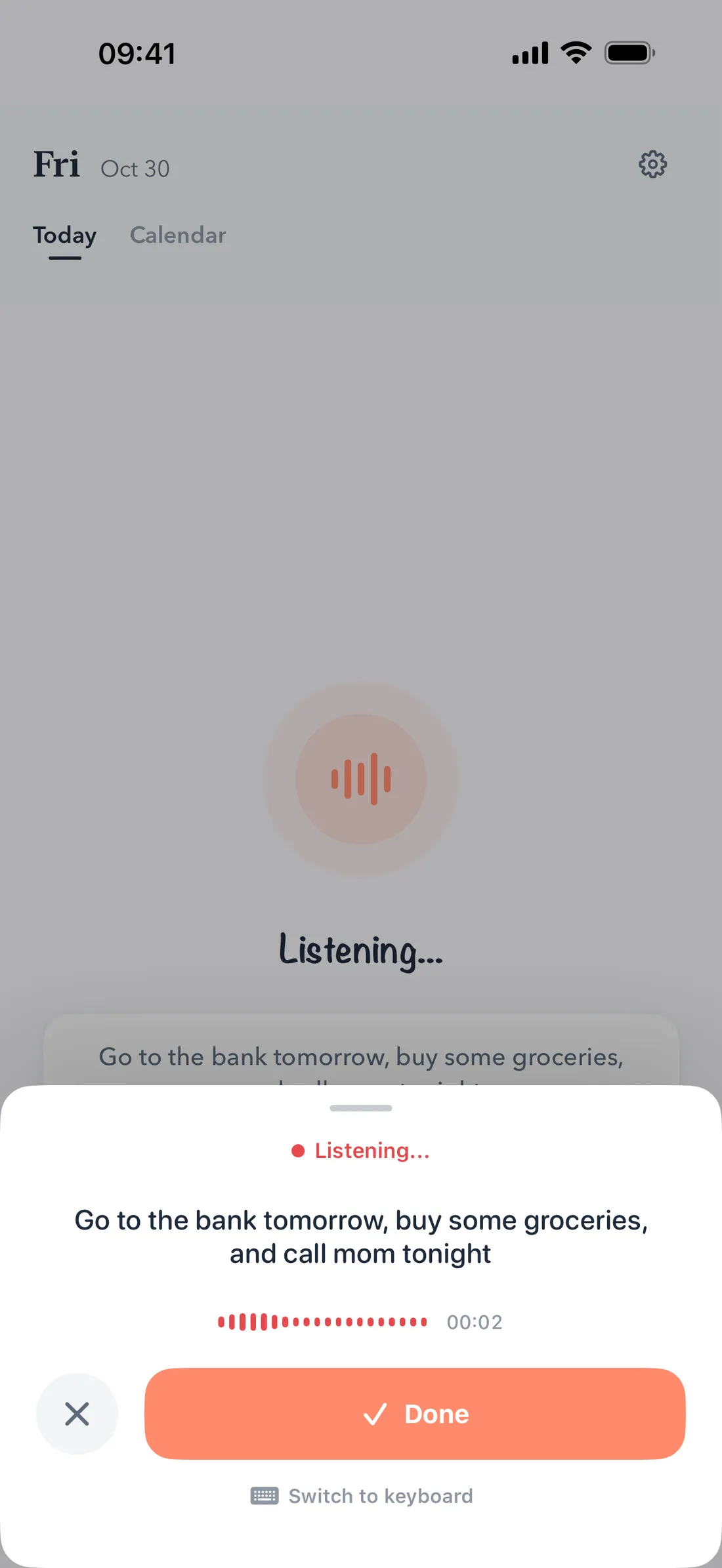
“Call the dentist tomorrow, buy milk, and send the report by Friday.” One breath, three tasks, no typing.
-
It's organized
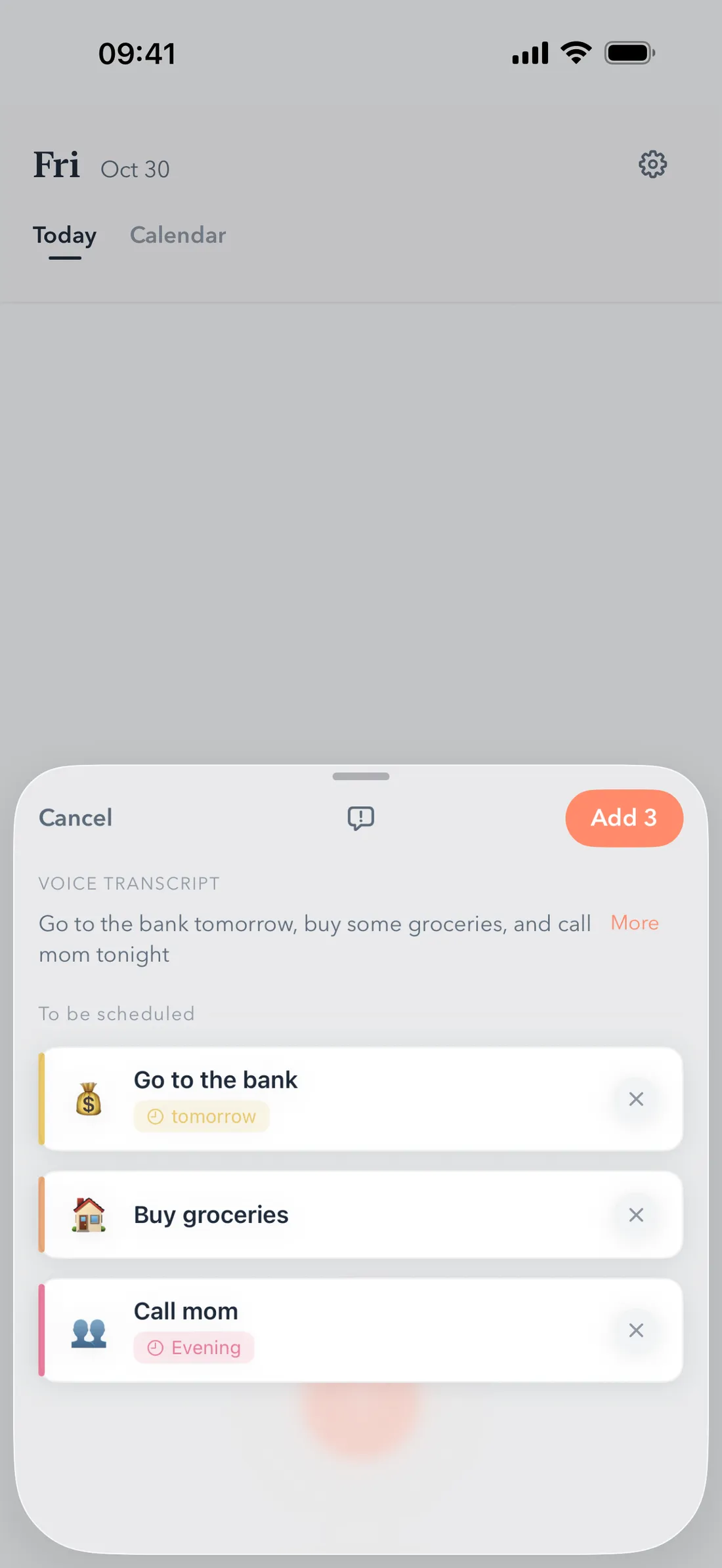
Your sentence becomes three separate to-dos, each on the right day. You glance at the checklist and confirm — fix anything with a tap first.
-
See it all day
Your list sits on your Lock Screen and Home Screen. Tap a checkbox, done. The list never leaves your sight.
No typing. Just talk.
Say several things in one sentence and VoiceTodo splits them into separate to-dos, each with the right date. It understands how people actually talk: “next Friday”, “end of the month”, “every Monday”.
Your list, always in sight.
A Lock Screen widget shows your next few tasks — check one off without even unlocking your phone. Home Screen widgets in medium and large keep today in view.
A list that doesn't pile up.
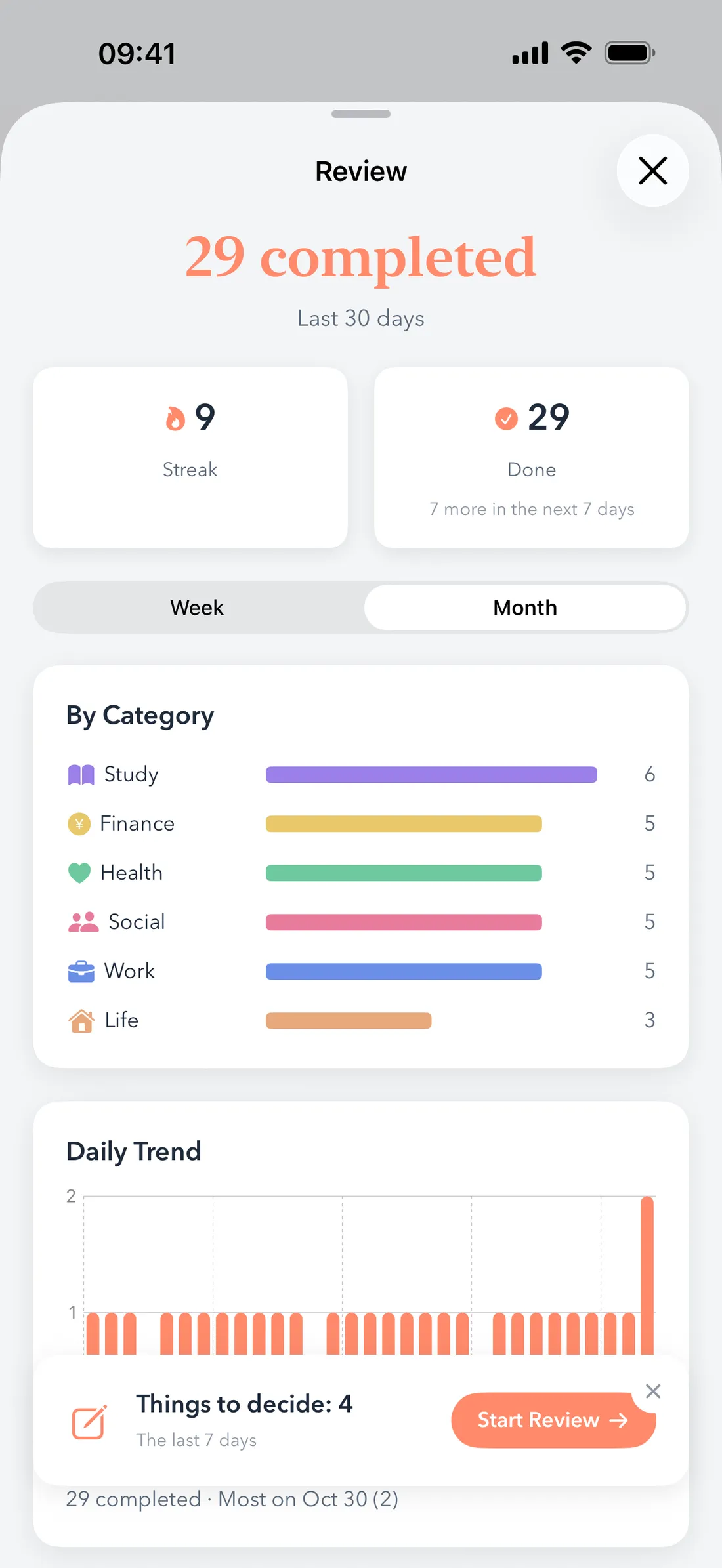
Once a week, VoiceTodo walks you through what got left behind: do it this week, push it to next week, break it down, or drop it. A short list you trust beats a long list you avoid.
No account. Your list stays on your iPhone.
There's nothing to sign up for. Your to-do list lives on your device. When you speak, the words are turned into text and sent to an AI to be organized — processed in real time, never archived. Your audio is never uploaded.
Frequently asked questions
Is there a to-do list app where I can just say what I need to do?
Yes — that's exactly what VoiceTodo is for. Speak one sentence and it becomes a clean, dated checklist. Say “Call the dentist tomorrow, buy milk, and send the report by Friday” and you get three separate to-dos, each on the right day.
Can I check off tasks from my iPhone Lock Screen?
Yes. The rectangular Lock Screen widget shows your next few to-dos — tap to check one off right from the Lock Screen, without opening the app.
Is it free?
Free to start: 3 voice captures per day. Pro raises that to 100 per day and starts with a 7-day free trial. Prices vary by region and are shown in the App Store.
Do I need an account?
No. There is no sign-up and no sign-in — download the app and start talking. Your list stays on your iPhone.
Does it work in other languages?
Voice capture and the interface are available in English, Chinese, and Japanese. On a phone set to another language, the app displays English.
Which iPhones are supported?
Any iPhone running iOS 26 or later. iPad, Mac, and Android are not supported.
Stop typing your to-do list.
Say it once. See it all day.
Download on the App StoreFree to start. No account needed.