A to-do list you can just talk to
Say several things at once. Get a clean checklist with dates — no typing, no forms, no fiddling with pickers.
One sentence in, a whole list out
You don't have to speak clearly. Talk the way you think — fillers, corrections, no punctuation:
“okay so tomorrow I need to call the dentist, um, also buy milk — oh and I have to send that report by Friday, let's say 3pm”
That's really what you say. No bullet points, no dates tapped on a wheel.
- Call the dentist Tomorrow
- Buy milk Tomorrow
- Send the report Friday, 3:00 PM
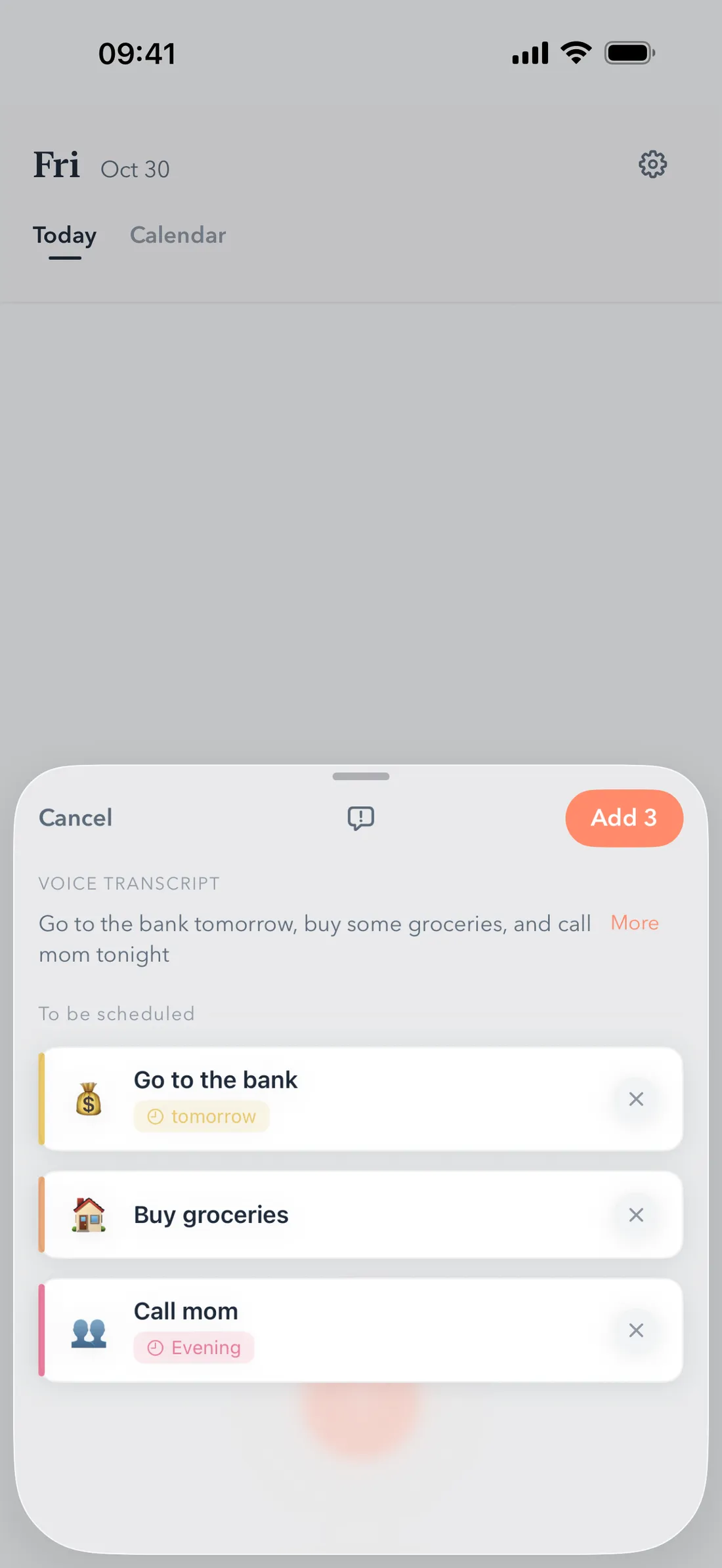
Understands how you actually talk
Dates come out of natural speech, not out of menus:
- tomorrow
- next Friday
- mid-month
- end of the month
- every Monday
- at 3pm
- remind me 30 minutes before
Capture in seconds, from anywhere
In the app
Hold the record button and talk. A Live Activity shows that recording is running while your screen locks.
With Siri
“Add todo in VoiceTodo” — capture without lifting the phone.
With the Action Button
On supported iPhones, one press starts recording. From your pocket, in the middle of something else.
Not quite right? One tap to fix.
Nothing is saved until you confirm. Before it goes on your list, you can edit every task — retitle it, move the date, split it, or drop it. It takes one tap per fix.
Teach it your words
A personal glossary lets you add names and terms you use all the time — people, projects, places — so recognition favors the words that matter to you.
No signal? Nothing is lost.
The metro tunnel doesn't get to eat your tasks. What you said is kept on your phone, and VoiceTodo organizes it into dated to-dos as soon as you're back online.
Frequently asked questions
Can I create a to-do list using my voice?
Yes. Hold the record button and speak naturally — several tasks in one sentence are fine. VoiceTodo splits them into separate to-dos with dates.
Can I add several tasks in one sentence?
Yes — that's the fastest way to use it. Say everything on your mind; each thing becomes its own to-do on the right day. You review and confirm before anything is saved.
Does it work with Siri?
Yes. Say “Add todo in VoiceTodo” to capture by voice, or “Start recording in VoiceTodo” for hands-free recording. On supported iPhones you can also assign VoiceTodo to the Action Button.
What happens without internet?
Nothing you said is thrown away: the transcript is kept on your phone and organized into dated to-dos as soon as you're back online.
Is my voice recording uploaded?
No. VoiceTodo never receives or stores your audio. Speech recognition runs through Apple's Speech framework; the resulting text is sent over an encrypted connection to our server and an AI provider to structure it — processed in real time, not archived, and only after you agree.
Stop typing your to-do list.
Say it once. See it all day.
Download on the App StoreFree to start. No account needed.